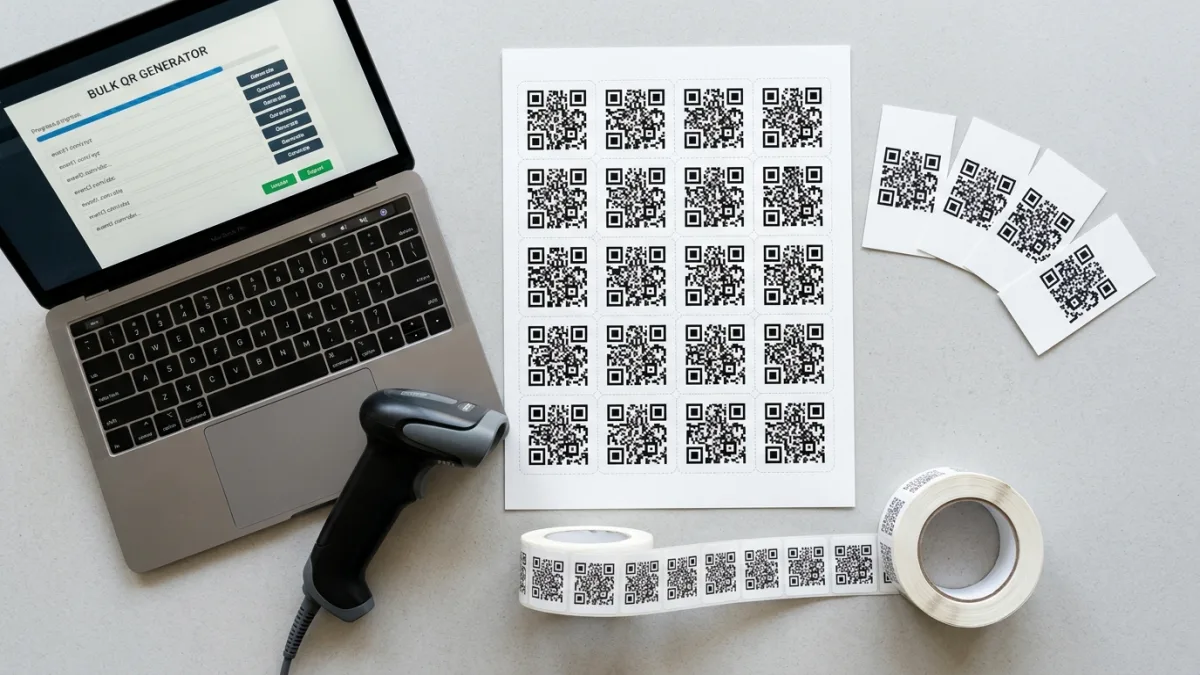
When You Cross the Bulk Threshold
Generating one QR code is a 30-second job. Generating ten is a 5-minute job. Generating a hundred is a different category — and that is roughly the point where teams move from single-code tools to bulk generation. The exact cutover depends on your patience for repetitive clicks, but as a rule of thumb: above 15 codes, switch to a bulk QR generator and paste the full list.
The seven scenarios below cover roughly 95% of bulk QR demand in 2026. For each, the relevant variables are the same: how many codes, static vs dynamic, what the URL encodes, and what print substrate the code lives on.
The Seven Highest-Value Bulk Use Cases
| Scenario | Volume | Code type | Pro tip |
|---|---|---|---|
| Event ticketing | 100-50,000 | Static, unique URL per ticket | Encode a ticket ID, validate server-side on scan |
| Product labels | 1,000-millions | Static, SKU-based URL | Print on white sticker at 300 DPI minimum |
| Marketing campaign tracking | 10-500 locations | Dynamic or static with UTM params | One code per channel/location for clean attribution |
| Warehouse / inventory | 100-100,000 | Static, internal asset ID | Laminate the printed label for shelf life |
| Restaurant menus / tables | 10-200 | Static, menu URL or table ID | Place on table tent, not flat on the surface |
| Classroom resources | 10-100 per unit | Static, resource URL | Use 5cm x 5cm size for projection visibility |
| Asset tagging | 50-10,000 | Static, asset ID with maintenance log URL | UV-resistant label for outdoor or industrial use |
1. Event Tickets & Badges
Modern event ticketing is a QR problem. Each ticket carries a unique ID encoded in a QR code; on entry, a scanner app hits a validation endpoint and marks the ticket as consumed. Bulk generation makes this trivial: export ticket IDs from your event platform, build URLs like https://yourevent.com/t/A4F-91X, paste the column into the bulk generator, and print the codes onto tickets or badges.
The 2024 Gartner event tech report noted that 92% of conferences and trade shows over 500 attendees used QR-based ticketing in 2024, up from 68% in 2020. The most common failure mode is not the QR — it is the validation server. Always run a 10-ticket load test before doors open. For specs on URL length and error correction, see our base QR code primer.
2. Product Labels & Packaging
Anti-counterfeit labeling, batch tracking, and consumer engagement converge on QR codes in 2026. The EU’s Digital Product Passport regulation, phasing in across textile and electronics categories starting 2026, mandates a machine-readable identifier on most products — and QR is the default implementation. Bulk generation is the only practical route once you cross a few hundred SKUs.
Print spec: 1.5cm x 1.5cm minimum at 600 DPI for offset printing, or 2cm x 2cm at 300 DPI for thermal labels. Use error correction level H (30% recovery) if any portion of the label will be partially obscured by handling or moisture. ISO/IEC 18004:2024 is the underlying standard. Reference the ISO QR Code spec for the formal contrast and quiet-zone requirements.
3. Marketing Campaigns with Per-Location Tracking
One billboard, one bus shelter, one in-store poster — each gets a unique QR code with embedded UTM parameters or a per-location redirect. The result: clean attribution data on which placement drove the most scans, without any third-party tracking dependency.
Example URL pattern: https://yoursite.com/promo?utm_source=billboard&utm_campaign=spring2026&loc=NYC-times-square. Paste 50 location-specific URLs into the bulk tool and you have a fully tracked outdoor campaign in five minutes.
4. Warehouse & Inventory
Bin labels, pallet tags, and shelf locations — all candidates for QR codes. The bulk path: generate codes encoding internal asset IDs (e.g., SKU-44912) or warehouse management system (WMS) URLs that pull the latest pick lists when scanned. Static codes work fine because the asset ID does not change. Print on heavy-duty laminated stickers for warehouse durability.
5. Restaurant Menus & Table Tents
Post-2020, QR-driven menus became a default. The bulk use case: generate one code per table that opens a menu URL with a table parameter (?table=14) so the kitchen knows where to send the order. A 30-table restaurant generates and prints all codes in one sitting. For seasonal menu changes, dynamic codes save reprinting — the short-term subscription cost is usually cheaper than the printing cost for menus updated monthly.
6. Classroom & Education Resources
Teachers print QR codes on worksheets, posters, and lesson plans to link to videos, reading material, or quiz forms. The bulk pattern: generate one code per resource per unit, paste them into a printable handout. Most K-12 districts in 2026 issue QR-capable devices in middle and high school, and the QR-to-resource flow is the most adopted EdTech UX of the past five years.
7. Asset Tagging & Maintenance Schedules
HVAC units, fire extinguishers, IT equipment, factory machines — every asset gets a QR code linking to a maintenance log URL. Technicians scan on arrival, the URL opens the asset record with prior service history, they log the new service, and the next inspection date updates automatically. Bulk generation lets the facilities team tag a whole building in one afternoon.
Print Specs That Actually Matter
For every use case above, the same physical rules apply:
- Minimum size: 2cm x 2cm for short URLs, 3cm x 3cm for URLs over 50 characters.
- Quiet zone: 4 module widths of blank space around the code. Anything in the quiet zone breaks scanning.
- Contrast ratio: 4:1 minimum. Black on white is ideal; dark blue on light yellow works; gray on light gray does not.
- Resolution: 300 DPI minimum, 600 DPI for codes smaller than 2cm.
- Error correction level: M (15%) for most use cases; H (30%) when partial occlusion is expected (food packaging, outdoor signage).
Static vs Dynamic at Bulk Scale
For batches of 50-1,000 codes, default to static. They are free, they never expire, and there is no third-party vendor in the path. For batches where the destination URL must change post-print (a seasonal menu URL, a campaign landing page that gets re-skinned), use dynamic codes from a paid provider — but be aware that if the provider goes dark, every printed code becomes dead.
Generating Unique IDs at Scale
For thousands of unique IDs, build them in a spreadsheet first. Examples:
- Sequential:
TICKET-00001...TICKET-05000 - Random short codes:
=UPPER(DEC2HEX(RANDBETWEEN(0,16777215),6)) - UUID v4 for very large batches: use a script (Node, Python) and paste the column
Then concatenate each ID onto a base URL and paste the full URL column into the bulk QR generator. QRForge handles 50 per batch — for 5,000 codes, batch in 100 runs or use a command-line library like qrencode.
Budgeting the Bulk Print Run
QR generation is free; printing is not. For a 5,000-code event-ticket run, expect $400-900 for digital print on cardstock with a barcode-verification pass. For 50,000 sticker labels, expect $1,200-3,500 depending on substrate and lamination. If you are a small business owner pricing a campaign, run the labor and material cost through the freelance hourly rate calculator to make sure the labor recoup is included in your campaign budget.
The Bottom Line
Bulk QR code generation is the unsexy plumbing of modern retail, events, marketing, warehousing, and education. The tool itself is commoditized — what matters is the URL/ID strategy, the print spec, and whether you need static or dynamic codes. For batches under 50, paste your URLs into QRForge’s bulk tool and download. For batches over 1,000, batch the input and use a CLI library. The same engineering rules apply at every scale.
FAQ
What is a bulk QR code generator and when do I need one?
A bulk QR code generator creates many QR codes at once from a list — typically URLs, product IDs, or event ticket codes — without manually generating each one. You need one any time you have more than 10-15 codes to produce: event tickets, product labels, warehouse bins, classroom resources, restaurant table tents, or marketing campaigns with per-location tracking. Free tools like QRForge handle up to 50 codes per batch; paid platforms scale to tens of thousands.
How many QR codes can a bulk generator produce at once?
Free bulk QR generators typically cap at 25-100 codes per batch. QRForge's bulk tool generates up to 50 codes per submission, each at 200x200 px PNG with error correction level M. For 500+ codes, batch the work into multiple runs or move to a paid enterprise platform that supports CSV upload and ZIP download. The underlying QR encoding speed is fast — the bottleneck is browser memory when rendering many codes simultaneously.
Can I use bulk QR codes for event ticketing?
Yes — bulk QR codes are the standard for printed event tickets in 2026. Each ticket gets a unique URL encoding a one-time-use ticket ID, which the scanner app validates against the event database at the gate. The codes are static (cannot change after print), so they cannot be hijacked or modified. For scan tracking and resale prevention, combine the static QR with server-side validation: when scanned, the URL hits an endpoint that marks the ticket as used.
Are bulk-generated QR codes still scannable after printing?
Yes, if the print quality and size meet the standard. Minimum recommended print size is 2cm x 2cm at 300 DPI for short URLs; longer URLs (over 50 characters) need 3cm x 3cm to maintain reliable scanning across phone models. Use a contrast ratio of at least 4:1 between foreground and background (black on white is ideal). Avoid placing QR codes on curved surfaces, reflective materials, or backgrounds with patterns that interfere with the finder squares.
Should I use static or dynamic QR codes for a bulk batch?
Static codes for one-time-use scenarios (event tickets, one-shot promotions, sealed product labels) — the encoded data is the destination, no third party can change it, and there is no subscription cost. Dynamic codes for campaigns where the destination may change or you want scan analytics (marketing collateral, in-store signage, business cards). Dynamic codes route through a tracking service, which charges per code or per scan and creates a long-term dependency on that vendor. Most bulk needs are best served by static codes generated for free.
Can I add unique IDs or serial numbers to bulk QR codes?
Yes — most bulk generators accept a list of URLs, and you append a unique identifier as a query parameter or path segment. Examples: https://yoursite.com/ticket/A4F-91X, https://yoursite.com/product?id=SKU-44912, https://yoursite.com/r/promo-NYC-001. The bulk tool then generates one QR per line. For thousands of unique IDs, generate them programmatically in a spreadsheet (=UNIQUEID() with a random function) and paste the column into the bulk input.
What is the typical use case split for bulk QR code generation?
Based on aggregate usage data from QR-generator platforms in 2024-2025: event tickets and badges (28%), product labels and packaging (22%), marketing campaigns with per-location tracking (18%), warehouse and inventory labeling (12%), restaurant menus and table tents (10%), education resources and classroom materials (6%), and asset tagging or maintenance schedules (4%). The fastest-growing segment is retail anti-counterfeit labeling, driven by EU and US supply-chain transparency regulations.
Generate Up to 50 QR Codes at Once — Free
Paste your URLs, click Generate, and download every code at once. No signup.